


How to Run MT4/5 on macOS Natively - Pre & Post M1 Chips
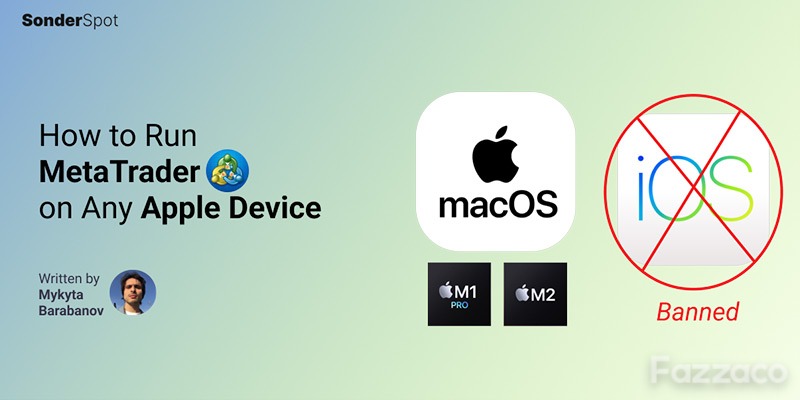
Even before Apple removed MetaTrader 4 and 5 from the iOS App Store in September 2022, Metaquotes users had already been struggling to run a fully functioning Metaquotes application on the latest macs.
And although, for basic trading, more often than not a WebTrader version of MT4/5 would suffice, today we are going to look at what alternatives are left to more hardcore users, should they be looking to continue using MetaQuotes apps on Apple desktop and mobile device.
MT4 & MT5 for iOS
The situation here is pretty grim, and at the moment, the alternatives are few.
If you haven't removed MetaQuotes apps from your iPhone prior to the App store ban, make sure to refrain from deleting MT4/5 apps, nor engage in factory resetting your phone.
If you have a new iPhone or were unfortunate enough to wipe out the app(s) after they have been removed from the App Store, you can either buy a used phone with an MT4/5 preinstalled on it from before or, well - switch to an Android phone.
Multiple unconfirmed sources argue that there are solutions in the making that will allow individual brokers to offer clones of iOS MT4/5 to their clients via the App Store.
Another alternative is to look into brokers with proprietary mobile apps, such as:
eToro
XTB Trading Stations
Admirals Mobile App
Forex.com
SwissQuotes
Etc.
What these might be missing is, of course, is a familiar interface and products by MQL-like community that has been building solutions on top of the MetaQuotes apps for years.
Running MT4 & MT5 on macOS Computers Post M1 (Apple Silicon)
The main difference between the pre- and post M1 versions is the architecture of the processor Apple introduced in 2020 and it's switch to 64-bit only operation. That makes thing a bit complicated, but not fatal.
In pre-Apple Silicon era, a handful of brokers had already figured out a way to offer their clients an out-of-the-book Windows-like MetaTrader experience.
However, as if Apple users hasn't struggled enough, ever since Apple made the situation more complicated by moving to the new architecture of their chips, which ultimately rendered all older MT4/5 for macOS solutions obsolete (at least when it comes to new macs).
In early 2021, with our help, MetaQuotes has partnered with Crossover - a software development company that has built generic MetaTrader 4 (this one is hidden from the Metquotes website for they no longer want to promote this version of their software) and MetaTrader 5 versions of software that has since not been updated to support M2 chips officially, but based on our testing, still works fine.
Fortunately, other solutions, previously available only to pre-M1 mac users, are now also available to other users, albeit with a caveat - all but one we were able to find in case of MT4 require manual installation on the side of a client.
Therefore, if you are a retail trader looking to try some luck running your broker-branded MT4/5 you would need to install either of the following applications:
Crossover (paid)
Wine Bottler (free)
Parallels (paid)
While Crossover installation is pretty straightforward, you download the latest version by Crossover, then download the windows version of MetaTrader 4/5 from your broker website and follow a generic installation guide provided by Crossover.
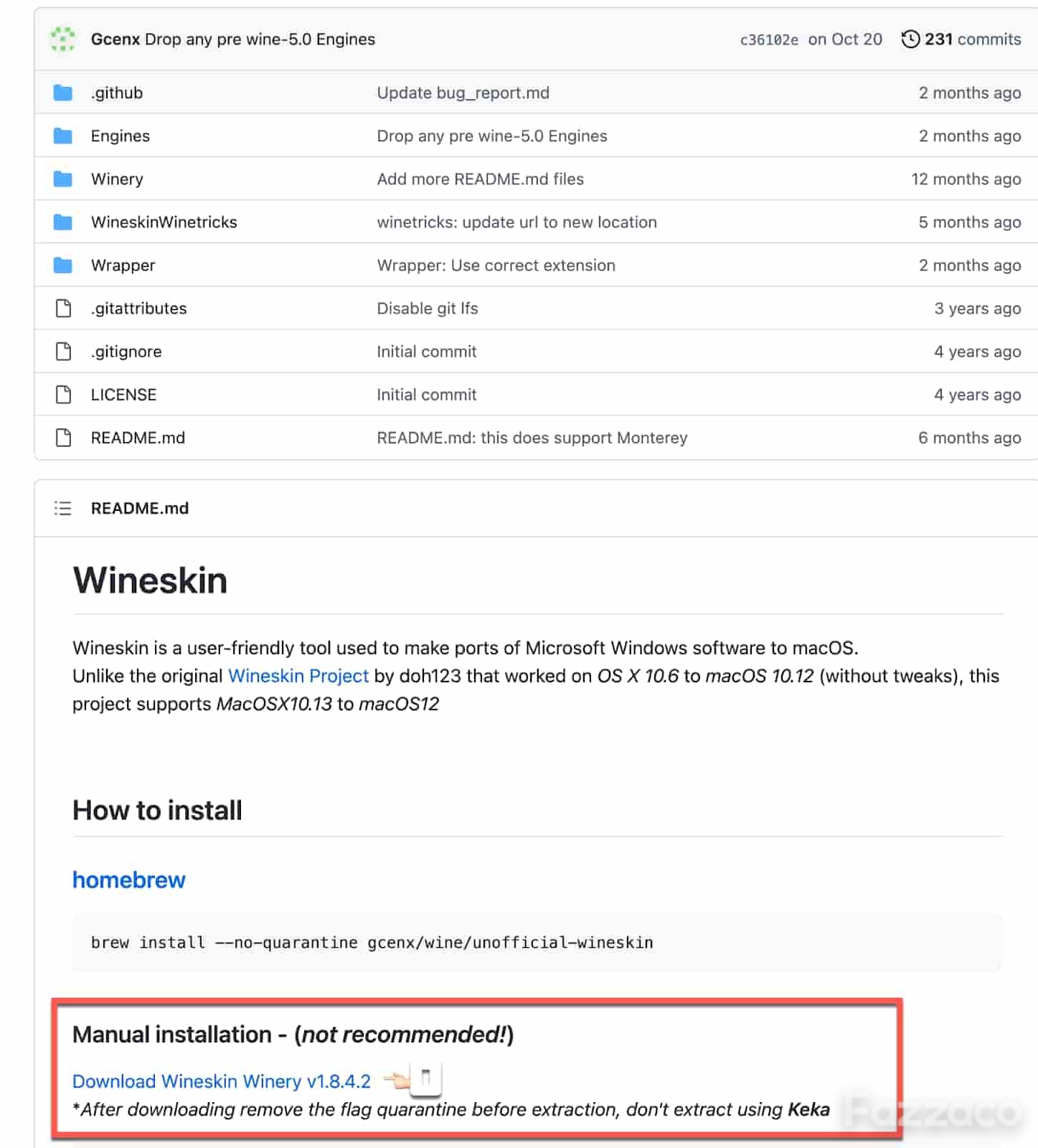
When it comes to Wine Bottler, things get a little bit more complicated since after downloading a 64-bit version (experimental) of WineBottler, you would have to update it with the latest engine, download MetaTrader 4/5, go back to Winebottler, click install from within the app and select the MetaTrader 4/5 .exe file you have downloaded in the previous step.
Once installed, right-click on the MetaTrader 4/5 file and click "show the package contents", launch Wine Bottler from within and make sure to set MetaTrader 4/5 exe as a launch file. If you fancy some retina-crispness, go to setting and tick retina setting (experimental).
At this point, you should be able to run your broker-branded MetaTrader 4/5 on your M1-2 macOS Apple computer without extra fireworks.
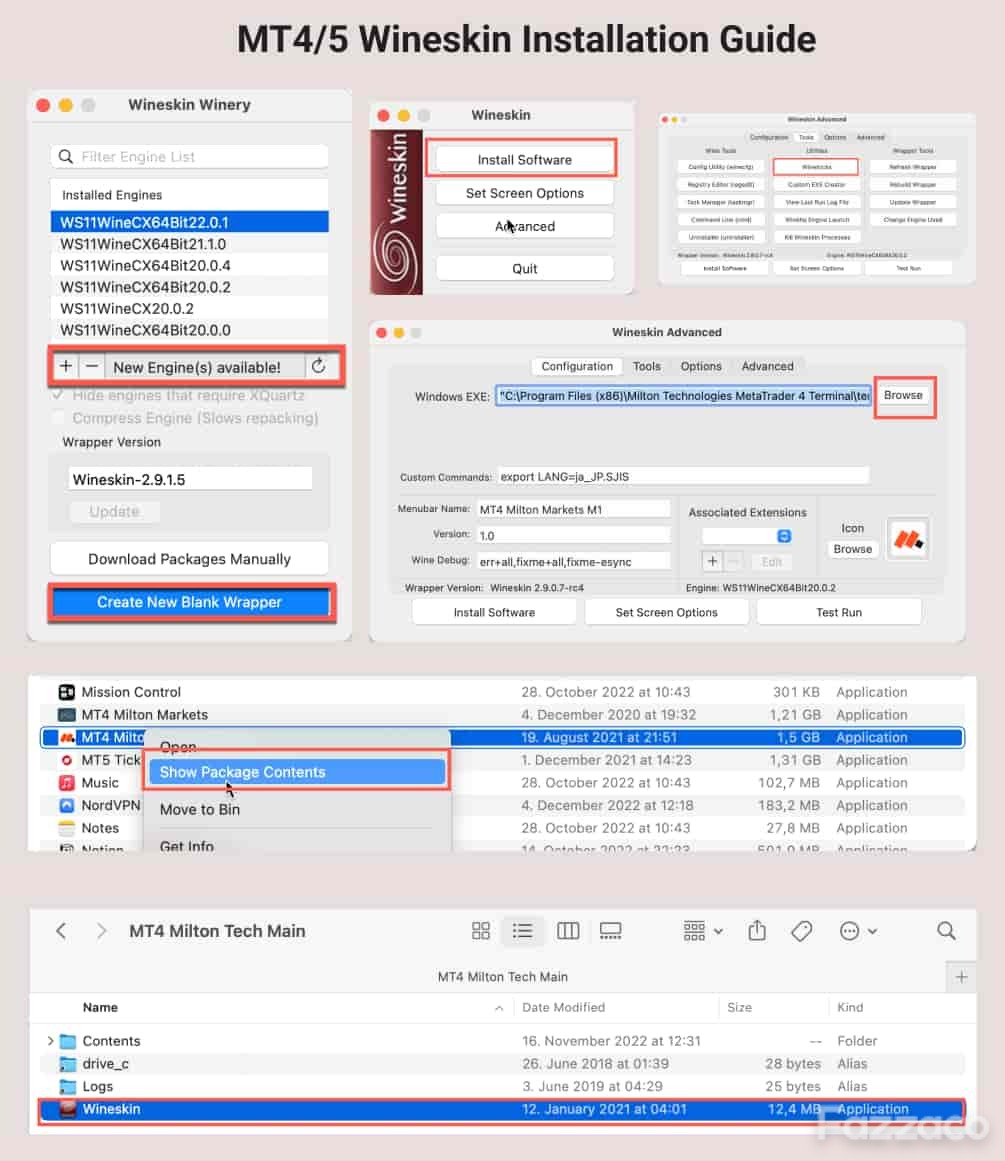
Should you decide to experiment with adding new MQL indicators or expert advisors, go to the previous step by right-clicking on the MT4/5 app you just installed, locate "MetaTrader 4/5 Broker Name" in the program files folder, and manually copy the files into the relevant folders.
The gist of using MT4/5 through Parallels mainly comes to installing the aforementioned app and deciding whether you would like to use it in coherence mode as a standalone app running parallel (pan-intended) to your maCO version.
Once this is sorted, you will need to download the .exe version of your branded MetaTrader 4/5 platform and install it by double-clicking the .exe file.
Although it is paid and also somewhat resource-heavy (you will be basically running two Operating Systems at once), this method should allow you to seamlessly (from within MT4/5) install plugins, addons, indicators, and Expert Advisors.
While there might be other ways of running the MetaQuotes app on your M1/2 based macs, the above-mentioned options have been tested by me personally and have yet to show fatal limitations to change my mind.
MT4 & MT5 for macOS Pre M1 (Apple Silicon) Chips
The story here is pretty much the same, except that many brokers, as mentioned above, have been savvy enough to have solved the Winebottler, Parallels, and Crossover pains for their customers.
Hence, if you run a pre-M1/2 macOS Apple computer, you can scout around. SonderSpot has personally built an installer for the following firms:
TickMill
Admirals
FXPro
FXPrimus
FXDD
Milton Markets
XM
Alternatively, you can download generic MetaTrader 4 or MetaTrader 5 for pre-M1/2 Apple computers directly from metaquotes.
To learn how to add indicators, mql files, and expert advisors, refer to the above-section on WineBottler.
For Brokers Looking to Offer Native Experience & Branding for Its Clients
While building a branded MT4/5 Platform for your brokerage in the pre-Apple Silicon chip era has become less of a pickle, with new macs, complexity t, which MetaQuotes has been only able to address in their generic versions, has so far prevented many brokers from following the lead with branded MT4/5 versions.
Hence, many brokers have opted-in to offer this solution, which I find more than adequate.
Yet, if you are looking to go the extra mile and offer your clients a platform with custom widgets, branded charts, and some pre-installed customization options, you are welcome to reach out to SonderSpot for a consultation and possible development.
At the moment of writing this coverage, I haven't seen many solutions available, perhaps I haven't looked further than our client's list goes.
 Subscribe Now