


UpTrader Forex CRM: Client Portal, IB Management and 1-Click Launch
UpTrader Forex CRM brings a broker’s client portal, back office, sales team and introducing-broker network into a connected operating environment. For a brokerage comparing technology suppliers, its relevance lies in how those functions exchange information: a registration becomes a client record, a payment becomes an operational event, and a partner referral becomes a commission calculation that staff can investigate.
UpTrader’s Fazzaco company profile places it in Forex CRM and white-label technology. Its own website identifies UpTrader LLP as a software business that does not provide financial services. This profile examines its published capabilities and the practical questions they raise for broker operations, using official material checked on October 15, 2026. It is a product and workflow analysis, not a hands-on performance benchmark.
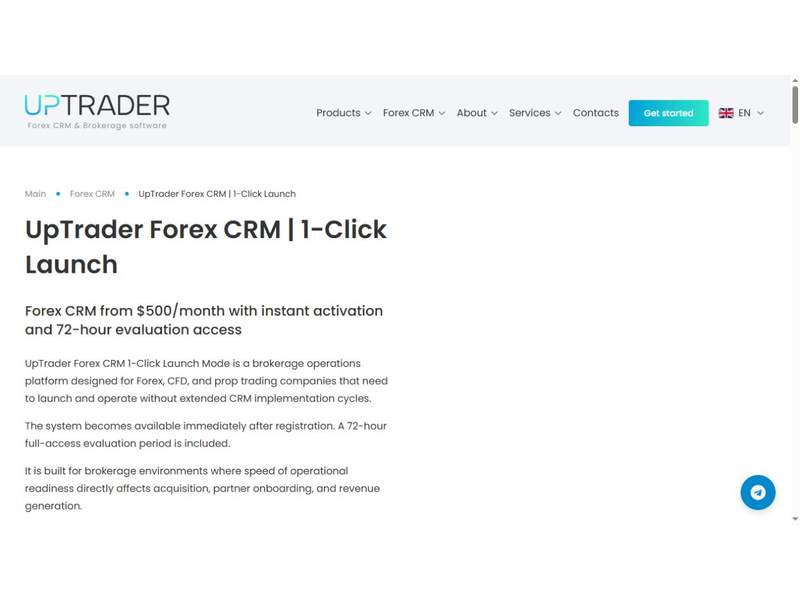
Source: UpTrader official 1-Click Launch page, captured October 15, 2026. Published commercial terms are subject to the applicable plan.
Where UpTrader fits in a brokerage technology stack
The official CRM overview describes a system combining the trader’s room, sales automation, affiliate management, verification workflows and trading-platform connections. Its purpose is to organize the administrative lifecycle around trading: onboarding, account creation, funding requests, customer communication and partner remuneration. The trading platform remains a distinct component with its own account, order and execution responsibilities.
That distinction helps define an implementation. A broker does not simply replace every existing application with a CRM. It identifies which system owns each record and which teams need access. Client identity may originate in the portal, trading-account data may arrive through a platform connection, and payment confirmation may depend on an external provider. The CRM supplies a shared operational view across those processes.
UpTrader also markets copy-trading technology, prop-trading tools and other brokerage services. Buyers should map these separately in the proposal. A connection available across the product family does not establish that every module is included in a particular subscription or configured for every deployment.
Trader’s room and back office: two sides of the same workflow
The client-facing trader’s room supports registration, account management, funding requests and transaction-history access. On the staff side, UpTrader describes tools for reviewing documents, monitoring client activity and handling deposit and withdrawal requests. Its administration layer configures account types, staff access, payment connections and other operating rules.
The practical benefit of this arrangement is continuity. If a client asks why a withdrawal is pending, support should be able to identify the request and its status without reconstructing the case from disconnected messages. Finance needs the transaction history, while the verification team needs the relevant documents. A useful demonstration follows one request across these roles rather than showing each dashboard independently.
Before implementation, define who may view information, who may approve an action and who may change the underlying rules. For example, a sales representative may need visibility into a failed funding attempt without needing authority to approve a withdrawal. UpTrader’s configurable access framework makes role design a meaningful part of product evaluation.
Sales CRM: from client activity to accountable follow-up
The Sales Module describes customizable lead statuses, task scheduling, communication histories, client filters and manager hierarchies. Its published features include marketing context such as UTM information and registration-page details, alongside dashboards and sales forecasts. This gives the sales process more context than a list of names and telephone numbers.
Consider a prospect who registers through a regional campaign but has not completed onboarding. A broker can evaluate how the record reaches the appropriate manager, whether previous interactions remain visible and how the next task is assigned. If the manager is absent, reassignment should preserve the history. That scenario tests coordination between marketing, sales and support rather than merely counting available fields.
Forecasts also need consistent definitions. Planned deposits, completed deposits and sales opportunities represent different events. Teams should agree which measure a report displays, its time period and how reversals are treated. The software can organize the evidence, but useful management reporting still depends on clear operational definitions.
IB management and the economics of partner attribution
UpTrader describes multi-level introducing-broker structures, automated reward calculations, partner reporting and configurable payout conditions. Its product material also describes commission settings by trading symbol. These functions address a common operational challenge: connecting client activity to the right partner and explaining the resulting remuneration.
A partner dashboard becomes particularly valuable when it supports reconciliation. A brokerage should be able to trace a reported commission back to the client, eligible activity, applicable agreement and calculation period. Changes to a partner hierarchy or commercial terms need an agreed effective date so that operations and relationship managers use the same interpretation.
For evaluation, use a small sample containing two partner levels, several account types and a change in commission terms. Compare the expected outcome with the report. This is an implementation test proposed by Fazzaco, not a claim that a specific UpTrader customer uses that configuration. It turns a broad feature description into a measurable business requirement.
Trading-platform connections and UpTrader Invest
The CRM overview lists connections with popular and custom platforms, including MatchTrader, TradeLocker, DXtrade and cTrader, alongside its references to Trading Platform 4/5. The newer launch page specifically names MT4, MT5 and DXtrade in its connectivity discussion. A buyer should confirm the exact platform version and data operations covered by the proposed connector.
UpTrader Invest is the company’s separate product combining PAMM, MAM and social/copy-trading modes. The official material describes integration with its CRM, configurable manager remuneration, investor disconnection settings and API access for third-party interfaces. These are distinct operational models, so a broker should choose the intended account and allocation arrangement before designing the customer journey.
For a CRM-led deployment, the important connection is the handoff between onboarding, strategy access and account administration. An investor’s portal view, a manager’s controls and the broker’s reporting need to refer to the same relationships. Product availability should not be interpreted as evidence of investment returns, and this profile does not assess the performance of any strategy.
1-Click Launch: what the published starting price covers
As checked on October 15, 2026, the 1-Click Launch page advertises automatic environment provisioning after registration and a 72-hour evaluation period. It shows pricing from $500 per month for a band of 0–30 active clients served per month, with no setup or implementation charges under that advertised model.
The page lists a client portal, back-office and administration system, bonus module, multi-level IB system and prop-trading module as base-platform components. This gives smaller teams a concrete starting point for discussing scope. The published entry price should be read together with the client band and confirmed commercial terms, rather than presented as a universal price for every brokerage.
Immediate access to an environment and readiness to serve customers are separate milestones. A broker still needs to validate its chosen connections, permissions, communications and operating procedures. The 72-hour period is best organized around a short set of end-to-end scenarios, with owners and expected results agreed before evaluation begins.
A practical evaluation plan for operations teams
The following framework translates the published modules into acceptance evidence. It is an editorial implementation guide, not a report of tests performed on a live UpTrader installation.
| Workflow | Demonstration to request | Evidence to retain |
|---|---|---|
| Client onboarding | Register, submit documents and open an account | Status changes, responsible role and account linkage |
| Funding operations | Follow a request through review and confirmation | References, timestamps and exception handling |
| Sales handover | Assign and reassign a client with an open task | Preserved history and correct access rights |
| IB remuneration | Calculate a sample multi-level commission | Agreement inputs and reconcilable output |
| Platform integration | Create and update a test trading account | Field mapping and handling of interrupted synchronization |
| Migration | Import a representative client and partner sample | Record counts, relationships and balance checks |
Run the demonstration with synthetic data before introducing customer information. Include one exception in each workflow: an incomplete document submission, an unmatched payment reference or a failed update. Exception handling often reveals ownership and escalation requirements that a successful first-time transaction does not show.
Migration, access and ongoing operating ownership
For an established brokerage, migration is as important as feature selection. A plan should cover client identifiers, account links, partner relationships, transaction references and open tasks. Agree which historical records move into the CRM and which remain in an accessible archive. Compare totals and relationships before switching staff to the new environment.
Define responsibilities for support, configuration changes and integration incidents. Request the applicable service terms, hosting arrangements, backup and restoration procedures, data export options and security documentation. These are procurement questions; the reviewed public pages do not establish a specific service-level commitment or certification for an individual deployment.
Operational ownership also matters after launch. Sales may own lead statuses, finance may own funding procedures, and a designated administrator may control access changes. Recording those responsibilities helps preserve the value of a unified CRM as the business adds staff, partners and trading-platform connections.
Which teams should evaluate UpTrader?
UpTrader is relevant to brokerages seeking connected client administration, sales and IB workflows, particularly when they want a branded portal within the same product environment. Its published 1-Click Launch model gives early-stage teams an explicit entry offer, while its modular product family provides subjects for a broader integration discussion.
For an established business, the strongest evaluation starts with a concrete problem: fragmented client records, labor-intensive partner reconciliation or inconsistent handovers between sales and operations. Match that problem to the documented module, demonstrate the full workflow and agree the commercial and support scope. That approach produces a more useful buying decision than treating a long feature list as a substitute for operational fit.
Sources checked October 15, 2026: UpTrader’s official CRM, Sales Module, Invest and 1-Click Launch pages linked above, plus the Fazzaco company directory. Product descriptions and advertised terms are vendor statements; implementation examples and evaluation criteria are Fazzaco editorial analysis.
 Subscribe Now